
 (1).svg)
 (1).png)


 (1).svg)
.svg)
What is Softaculous?
Softaculous is an auto-installer designed to streamline the process of deploying web applications. It offers a vast library of scripts, enabling the installation of hundreds of the most popular hosting software titles directly onto your cPanel server. Beyond initial installation, Softaculous also provides essential features such as automatic updates, crucial for maintaining site security, and regularly expands its library with new software options.
Why Integrate Softaculous with cPanel?
For many users, the prospect of installing software on a server via the command line can be daunting. Softaculous addresses this challenge by providing an intuitive graphical interface coupled with reliable scripts, making software installation significantly simpler. As a web host, incorporating Softaculous allows you to empower your customers to manage their own software installations with just a few clicks, ensuring their applications remain up-to-date and secure without constant manual intervention.
Incorporating Softaculous into your hosting packages can significantly enhance the value of your services without incurring substantial additional costs. Their free plan includes access to 59 widely used scripts, while their paid plans offer a comprehensive collection of over 200 applications. This extensive selection makes it effortless for your users to install the software packages they desire most on their cPanel & WHM servers.
If you manage your own server and Softaculous isn't pre-installed, you have the option to install it yourself. This can provide significant quality-of-life improvements for your server administration tasks. Softaculous offers step-by-step documentation to guide you through the command-line installation process.
How to Install Softaculous on Your cPanel Server
Installing Softaculous from scratch typically requires root access to your server via SSH, assuming it hasn't been preinstalled by your hosting provider. Softaculous provides a detailed installation guide with specific instructions. Once you have successfully connected via SSH, execute the following commands in sequence:
wget -N http://files.softaculous.com/install.shchmod 755 install.sh./install.sh
Upon execution, the installation process will display output similar to the following:
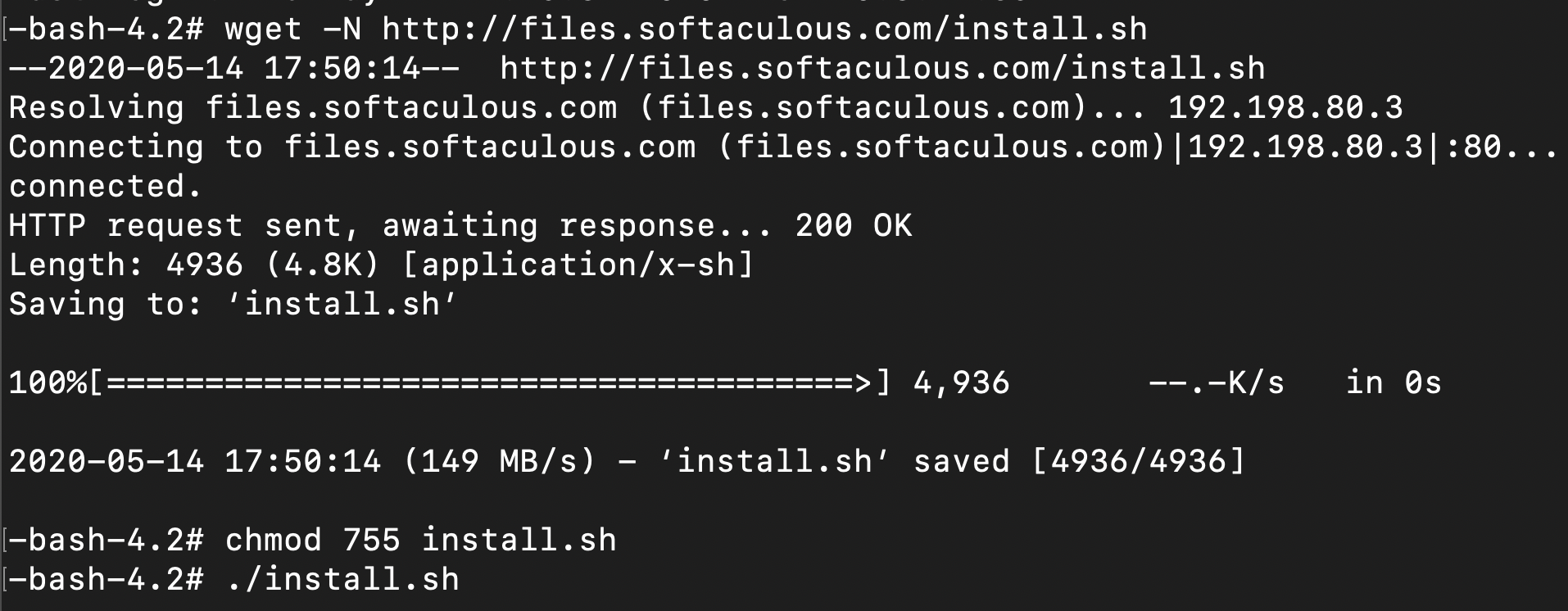
Important Note: It is imperative that ionCube Loaders are enabled via WHM within the Tweak Settings interface. You can locate and enable the ionCube Loader within the backend PHP configuration.
Once the installation file has been successfully downloaded and executed, you will observe the installation completion screen, which typically appears as shown below:
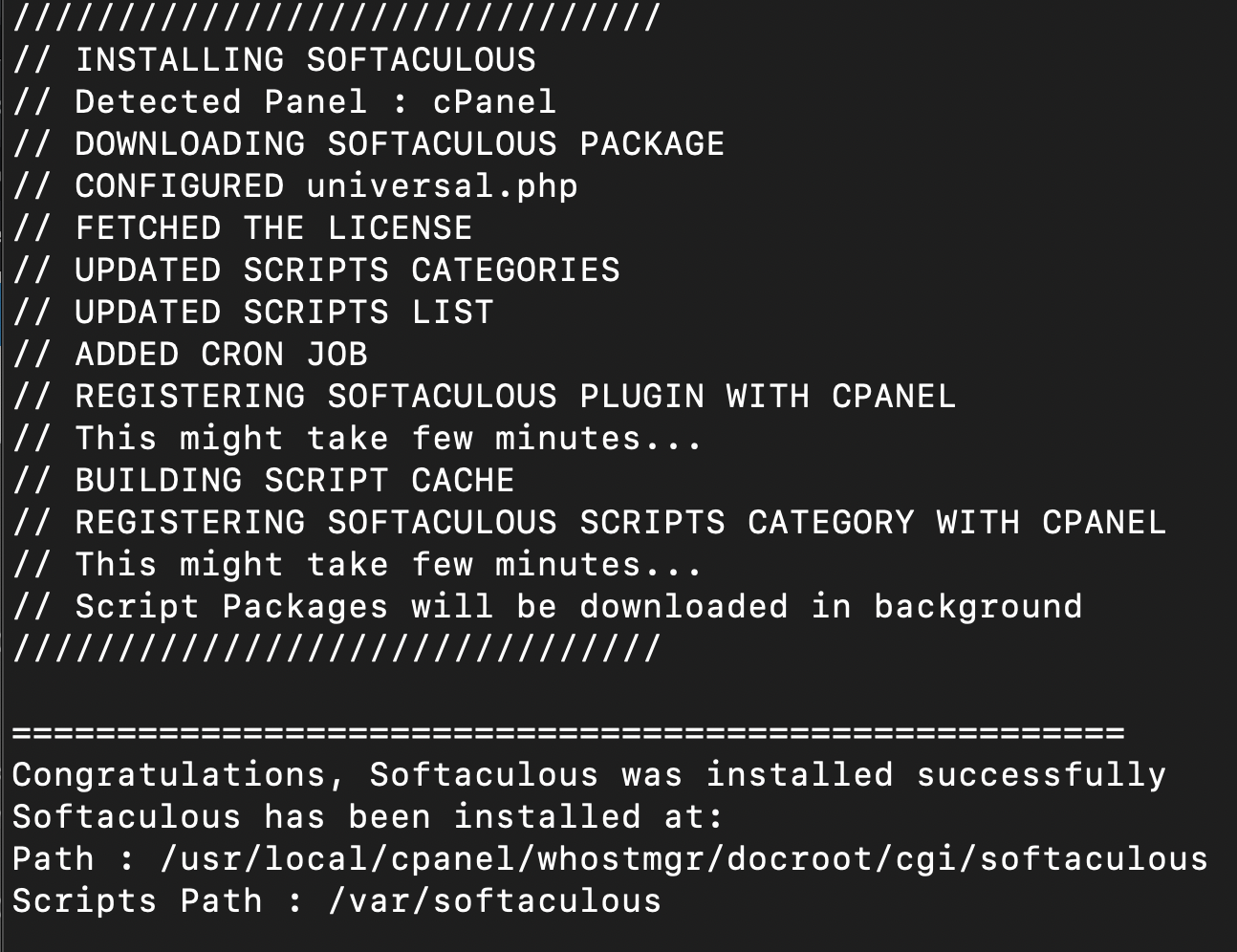
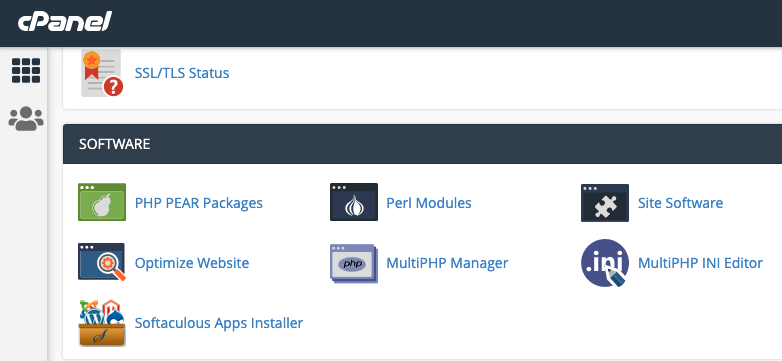
At this point, you should be able to seamlessly access the Softaculous interface directly from your server's cPanel.
Streamlining WordPress Installation with Softaculous
When logged into WHM, you have the ability to specify which scripts are made available to your users; however, you cannot install software directly from WHM. To install WordPress using Softaculous, you will need to log into your cPanel account, not WHM. Within cPanel, the Softaculous Apps Installer can typically be found under the "Software" section or by using the search function to locate "Softaculous."
Softaculous is renowned for its user-friendly design and straightforward operation. It offers multiple layers of customizable settings to perfectly align with your specific requirements, allowing you to install hundreds of popular software titles with just a single click and a few simple steps. When you hover over the software you intend to install—in this instance, WordPress—it will display essential information about the application along with a prominent "Install" button. Proceed by clicking this button.
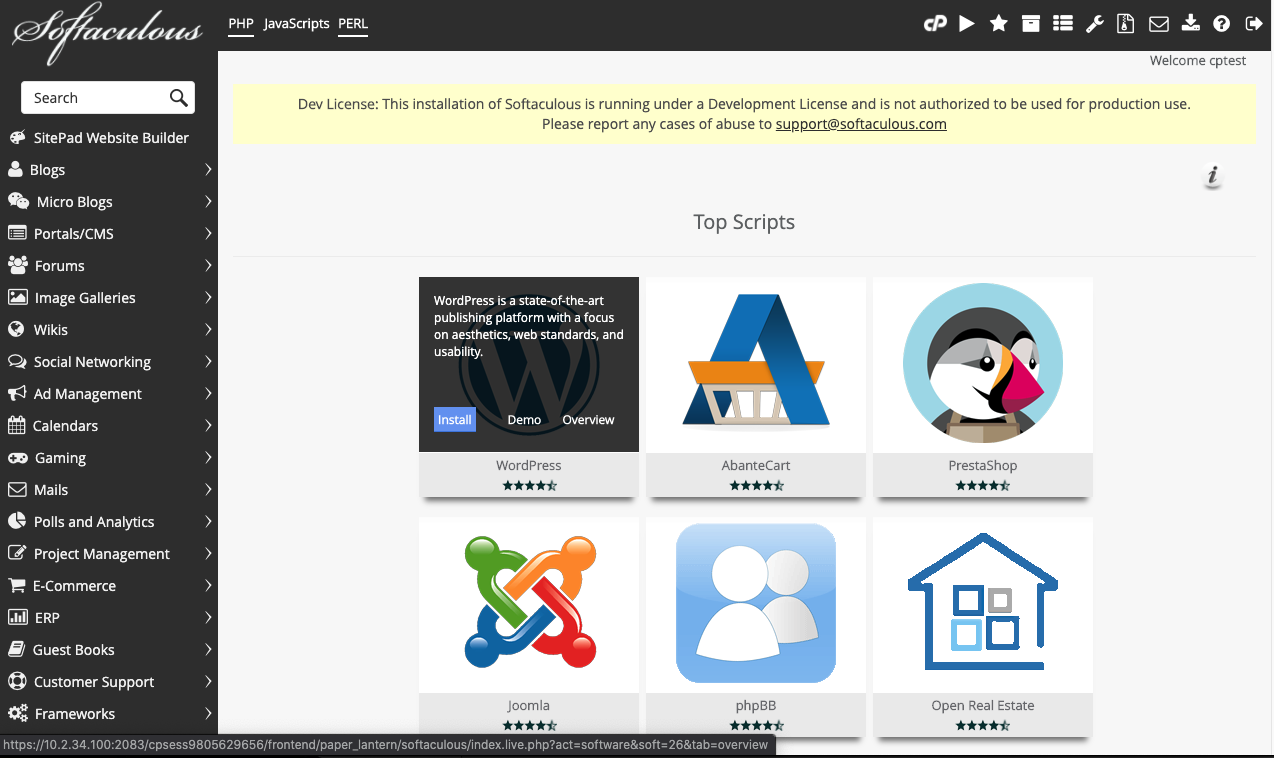
After clicking "Install," the system will guide you through various options for configuring your new WordPress site. You have the flexibility to either select the "Quick Install" button, which applies a set of generic presets that can be modified later, or to meticulously specify all desired options directly on the screen, including your site's name and preferred base theme, before finalizing the process by clicking "Install" at the bottom.
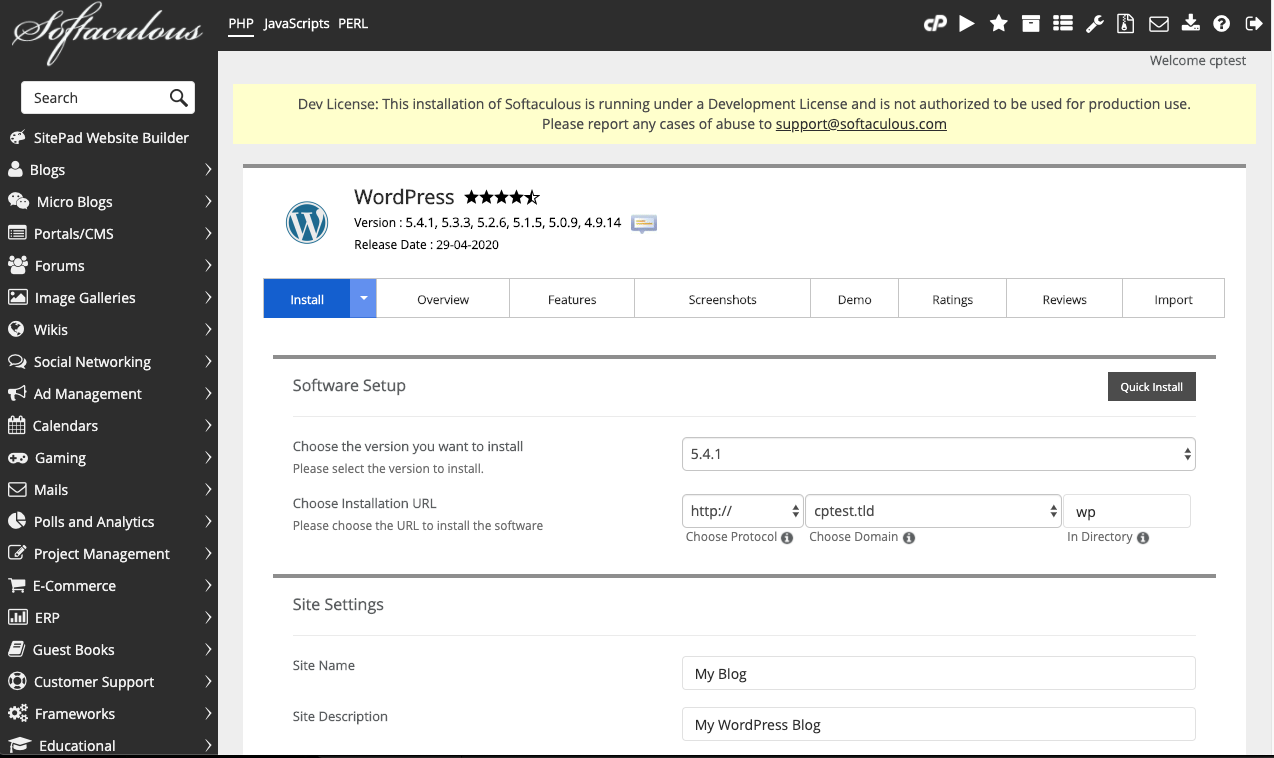
With these few easy clicks, your new WordPress site will be fully operational and ready for use.
Softaculous: A Powerful Enhancement for cPanel Environments
Throughout this guide, we have demonstrated that integrating Softaculous offers significant advantages for both independent server owners and professional web hosting providers. The Softaculous team is known for providing high-quality, timely support and consistently keeping their products up-to-date. It stands as a robust tool that delivers excellent improvements to simplify server management, featuring convenient automatic updates and seamless one-click installations. We invite you to join the discussion about this blog post or any others on our various community channels: Discord, Reddit, and our cPanel Forums. You can also find us on Twitter, Facebook, Instagram and LinkedIn.
