
 (1).svg)
 (1).png)


 (1).svg)
.svg)
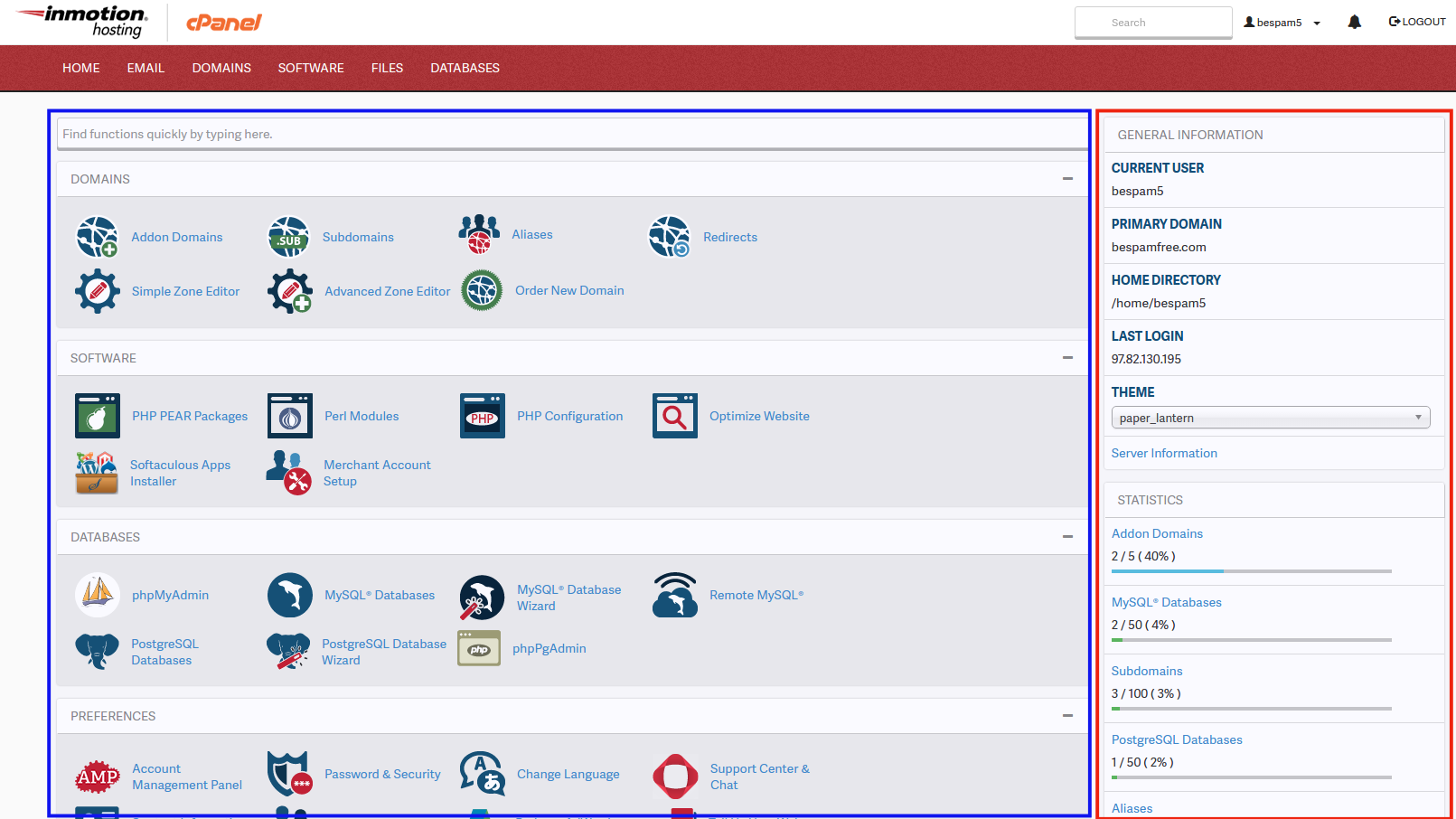
Upon successfully logging into your cPanel account, you will be presented with the cPanel interface. For new users, navigating this powerful control panel for the first time can seem a bit daunting. This guide will walk you through the most important and frequently used features of cPanel to help you get started. Below, you will find a visual overview of the cPanel interface, highlighting its two primary sections, clearly outlined in red and blue for easy identification.
Understanding the cPanel Interface Sections
Website Statistics: The Information Hub (Red Section)
The section highlighted in RED serves as your comprehensive dashboard for website statistics and general account information. This area provides crucial insights into your hosting environment, including your Shared IP address, current Disk Space usage, server details, the number of email accounts configured, and the total number of databases you manage. This dynamic section updates in real-time to reflect any changes or modifications made to your hosting account, ensuring you always have access to the most current operational data.
cPanel Features: Your Control Panel (Blue Section)
The area outlined in BLUE encompasses the wide array of features and functionalities that you, as the user, have direct control over within cPanel. These features are logically categorized under distinct headers, designed to organize related options into common, user-friendly groups. While cPanel offers an extensive suite of tools, the most frequently utilized sections by our customers typically include:
- Mail: For managing email accounts, forwarders, autoresponders, and spam filters.
- Files: To handle website files, backups, FTP accounts, and disk space usage.
- Databases: For creating and managing MySQL databases, essential for most modern websites and applications.
- Domains: To add new domains, subdomains, and manage DNS settings.
- Security: Tools for SSL/TLS, IP Blocker, hotlink protection, and password protection.
- Software: One-click installers for popular applications like WordPress, Joomla, and more, as well as PHP version management.
Familiarizing yourself with these key sections will empower you to efficiently manage your website, email services, and other hosting-related tasks.
