
 (1).svg)
 (1).png)


 (1).svg)
.svg)
The MySQL database server is a fundamental component for countless content management systems and e-commerce applications. It provides the secure and reliable data storage and retrieval capabilities that are essential for dynamic, personalized websites. cPanel & WHM offers a robust and comprehensive MySQL management solution, automating many routine web hosting database tasks while providing detailed control to web hosts when needed.
Typically, websites and the cPanel’s MySQL instance reside on the same server. However, there are scenarios where it becomes advantageous to separate these components, allowing websites to utilize a remote MySQL database hosted on a distinct server.
Utilizing a remote MySQL server can offer several significant benefits, including:
- Offloading Database Workloads: By moving database operations to a separate server, you can significantly improve the performance of busy websites and the database itself, freeing up resources on the webserver.
- Specialized Database Hosting: It allows you to deploy a server specifically optimized and configured for high-performance database hosting, tailored to its unique demands.
- Centralized Database Management: Consolidate database management for multiple web servers, simplifying administration and maintenance tasks.
- Enhanced Security: Isolate the database from servers that are directly accessible via a public IP address, creating an additional layer of security.
It is crucial to understand that exposing your MySQL server directly to the internet and allowing connections from untrusted IP addresses is an insecure practice. This method creates a critical security vulnerability that malicious actors frequently exploit to steal sensitive data or compromise systems.
In this article, we will guide you through the correct and secure method for configuring MySQL to accept connections from web applications hosted on different servers, leveraging the powerful tools within cPanel and WHM.
Using a Remote Database to Host Your Site’s Data
To effectively follow this tutorial and implement remote database access, you will need the following:
- A server with cPanel & WHM already installed and fully operational. This server will function as your dedicated remote database server.
- The IP address or domain name of your database server, along with your cPanel authentication credentials, and the necessary MySQL username and password.
- A separate server designated for installing your web applications. While the method described herein is compatible with manual site installations and configurations, using cPanel on this server can significantly streamline the process.
We will begin by explaining how cPanel users can configure a remote MySQL database, followed by an exploration of WHM’s MySQL Profile management tools for system administrators.
Configuring a Remote MySQL Database with cPanel
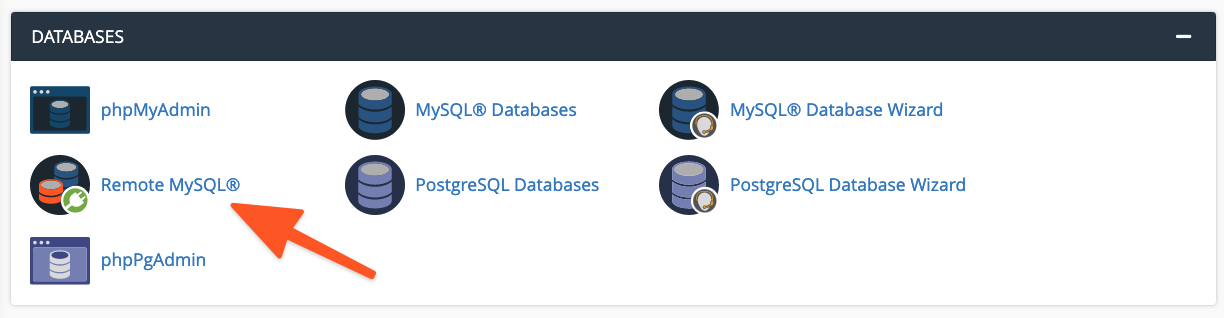
To initiate the configuration process, log in to cPanel on the server where the MySQL instance you wish to grant access to is hosted. Once logged in, navigate to and select the Remote MySQL® tool, which is typically found on the main page menu.
Within the Add Access Host form, you will need to enter the domain name or the specific IP address of the server that hosts your web application. For scenarios requiring access from multiple IP addresses, you can employ a wildcard character (%); for example, entering 192.68.0.% would allow access from any IP address within that subnet. When utilizing wildcards, it is imperative to limit their scope strictly to addresses under your direct control or those you are absolutely confident pose no security risk.
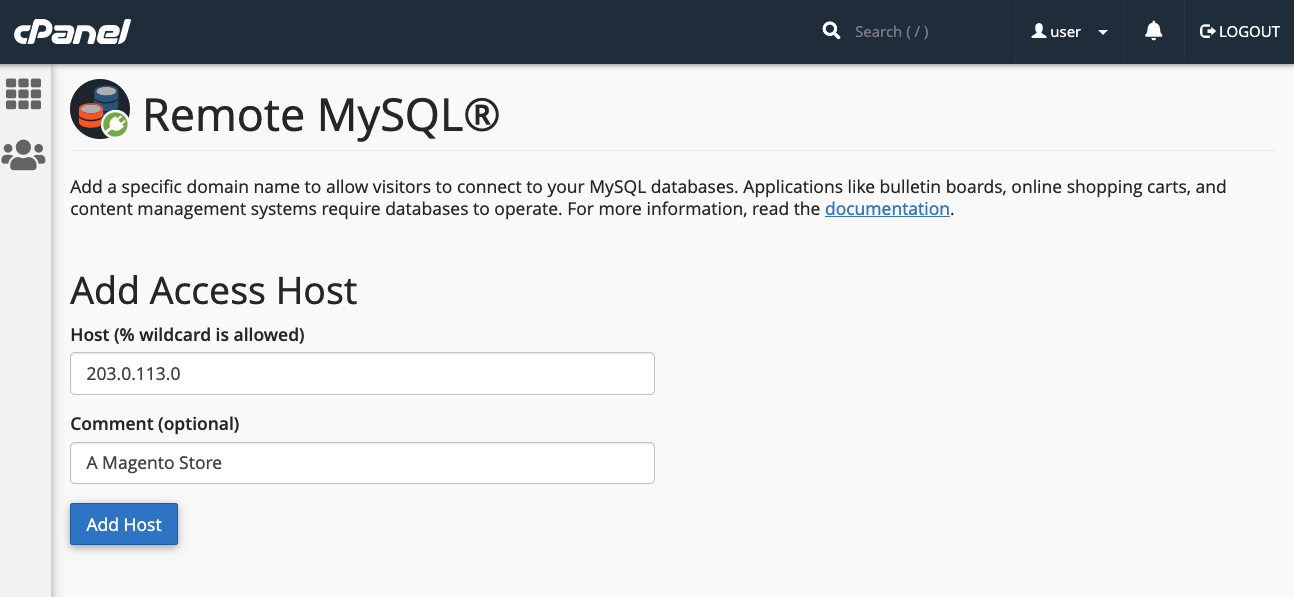
After entering the host information, click the Add Host button. cPanel will then proceed to configure the MySQL database to securely accept connection requests originating from the specified remote site.
The subsequent step involves configuring your web application to utilize this remote database. The exact procedure for this varies depending on the specific application you are using. For instance, with a newly installed WordPress site, you would first create the database using cPanel’s MySQL® Database Wizard.
Following database creation, you would then edit the WordPress site’s wp-config.php file. Here, you need to include the database name, the authentication credentials (username and a strong, secure password), and the domain name or IP address of your remote MySQL server. An example configuration might look like this:
define( 'DB_NAME', 'wp_database' );
define( 'DB_USER', 'user' );
define( 'DB_PASSWORD', 'a-secure-password' );
define( 'DB_HOST', '203.0.113.0' );
Adding MySQL Access Hosts in WHM
System administrators possess the capability to configure MySQL to accept incoming connections from sites hosted on external servers via WHM. There are some distinct differences when comparing remote database access configuration between cPanel and WHM:
- Hosts configured and added within WHM are universally applied to all cPanel user accounts and the MySQL users associated with those accounts on the server.
- cPanel users do not have the authorization to permanently remove hosts that have been added by system administrators through WHM.
To enable remote hosts to access your MySQL databases, navigate to the SQL Services section in the sidebar menu of WHM and select Additional MySQL Access Hosts.
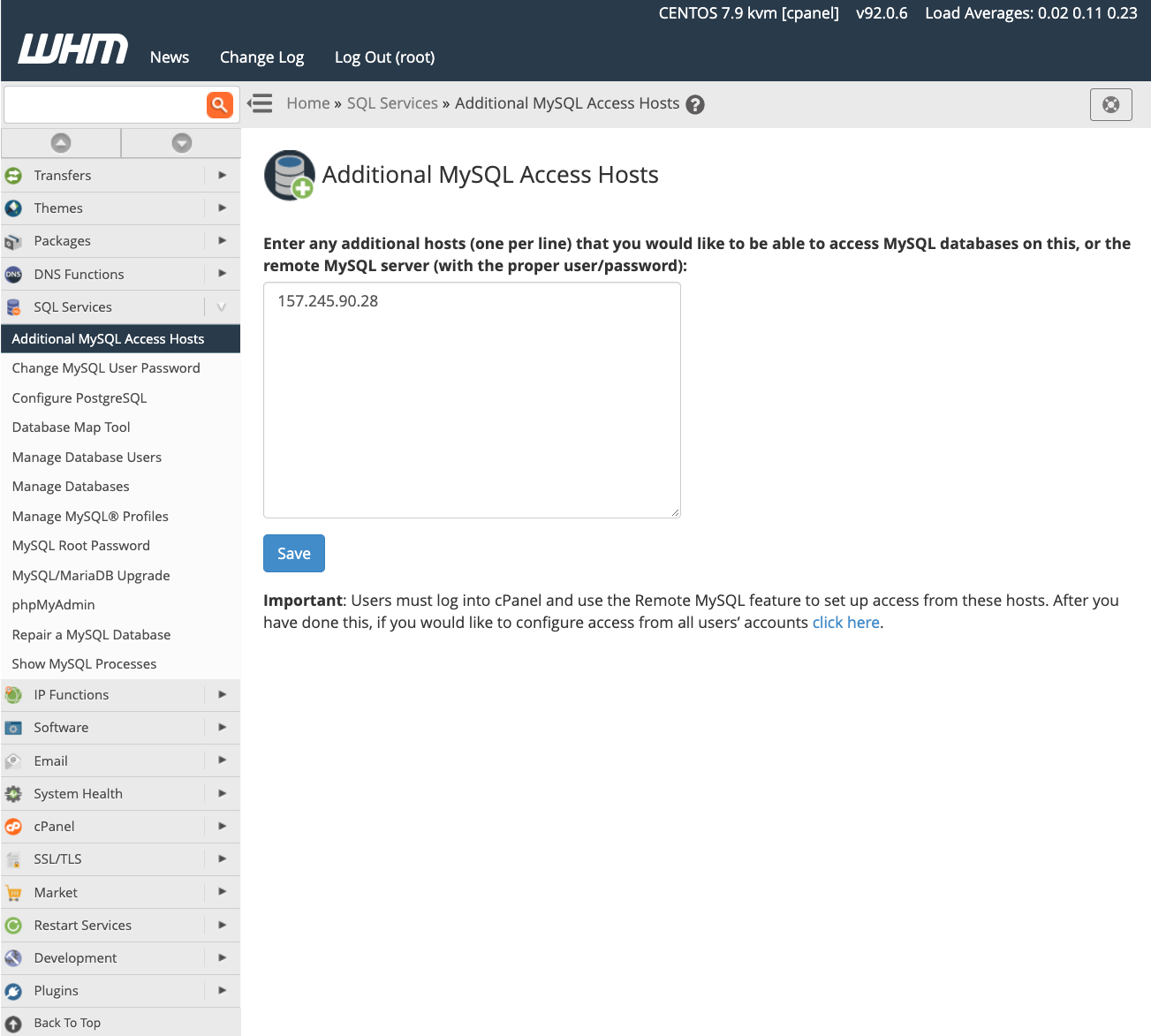
On this page, enter the domain names or IP addresses of all remote hosts that should be permitted to establish connections to the databases on your server. After inputting the required information, click the Save button to apply your changes. To begin using databases on this server, you must then configure your web applications with the relevant remote server’s IP address and the appropriate authentication credentials, as detailed in the previous section for cPanel users.
For more in-depth information regarding database access hosts and their configuration, please refer to the official documentation page for this feature.
Managing MySQL Profiles in WHM
Beyond simply configuring remote databases, server administrators in WHM can also create and manage MySQL profiles to establish connections with external database servers. A MySQL Profile allows administrators to precisely define which remote database server is used throughout cPanel & WHM. In fact, even the local machine’s default database configuration is managed through such a profile.
These profiles offer the flexibility to configure various types of remote databases. This includes databases running on other cPanel & WHM servers, dedicated MySQL servers, and even cloud-based database services like Amazon’s Relational Database™ Service (RDS).
Before proceeding with the creation and activation of a new profile, it is important to note that only one MySQL profile can be active on the system at any given time. To add a new profile, log in to WHM and navigate to Manage MySQL® Profiles, located under SQL Services in the sidebar menu.
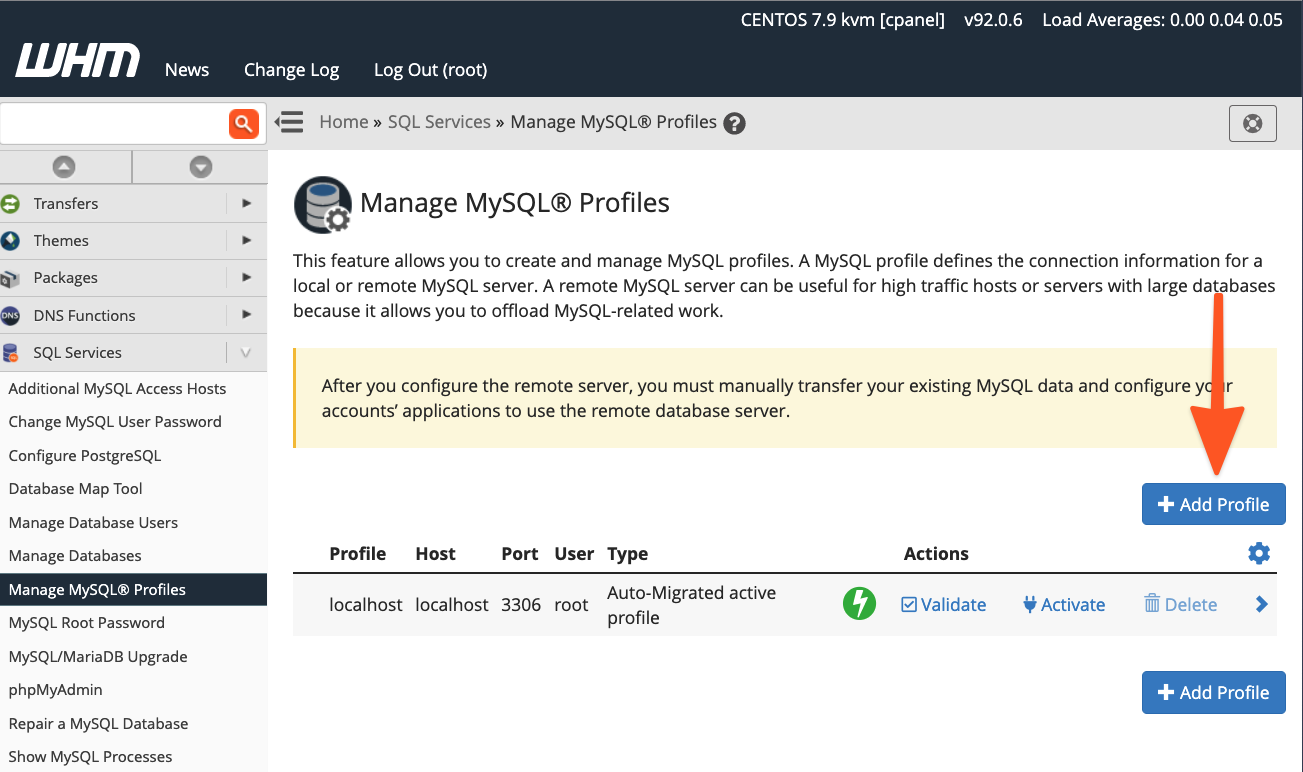
WHM provides options to either automatically log in to the remote server, create a new MySQL superuser for database management, and configure MySQL, or, if you have already set up the MySQL installation with a superuser, you can simply input those existing details instead.
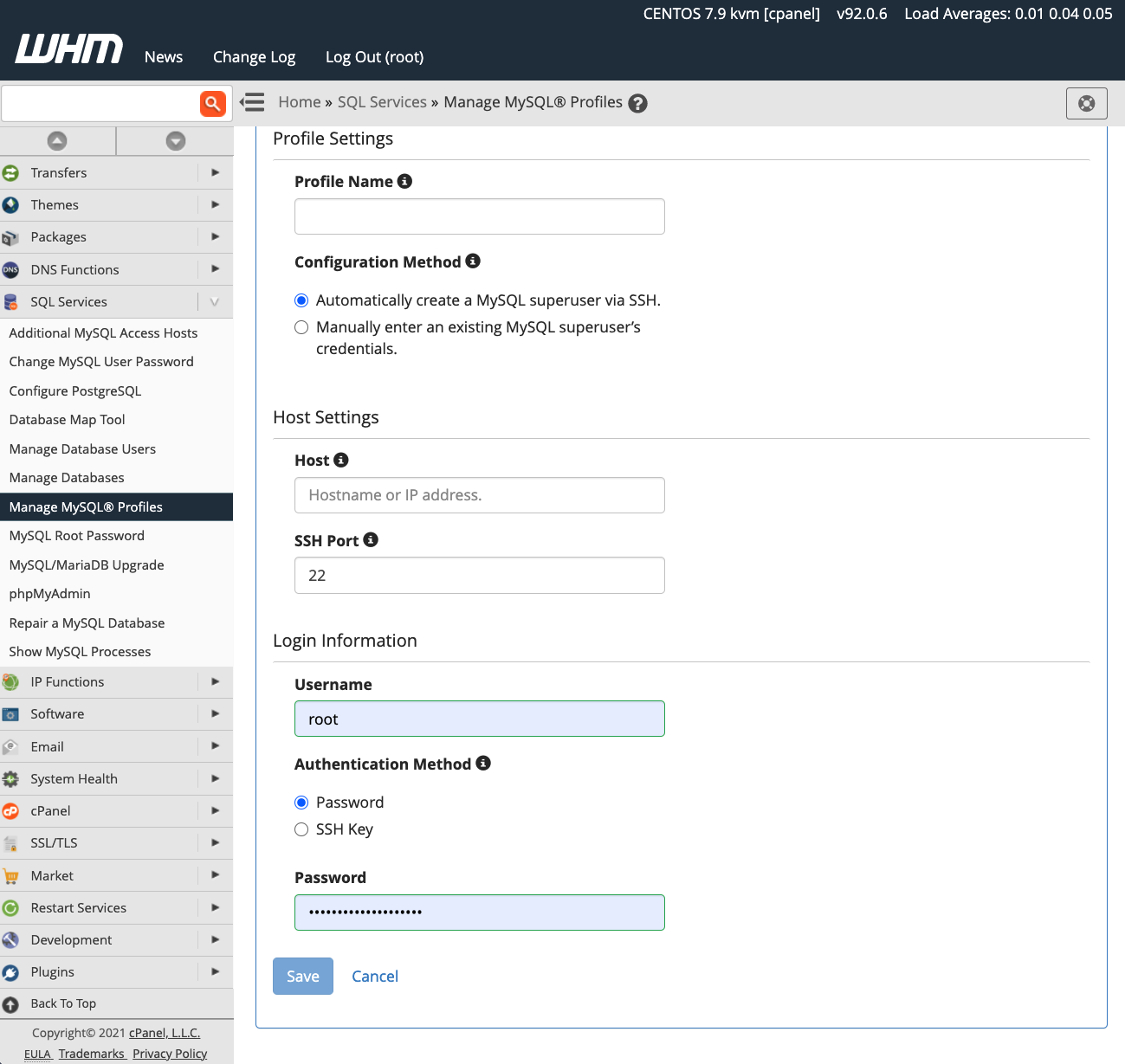
Once you have successfully activated a new MySQL profile, all subsequent new databases will be created on the specified remote server. However, it is crucial to understand that existing databases are not automatically migrated. Any data from previous databases will need to be transferred manually to the new remote server.
cPanel & WHM empower web hosts and their clients with exceptional flexibility in configuring and managing MySQL databases. This robust platform enables them to leverage:
- Outstanding default configurations for hosting MySQL databases directly on the local server.
- Effortless database setup and management for websites and online stores hosted on remote servers.
- Comprehensive system administrator tools that provide complete control over MySQL deployments and the hosting location of their databases.
