
 (1).svg)
 (1).png)


 (1).svg)
.svg)
While WordPress often comes to mind first for website creation, particularly for basic sites and blogs, cPanel’s Softaculous offers a much broader spectrum of possibilities. This robust auto-installer simplifies the deployment of complex websites, online stores, and discussion forums, making advanced web development accessible to everyone.
This guide will explore how to leverage Softaculous to install powerful applications such as Joomla, Drupal, Magento, and phpBB, enabling you to significantly enhance your online presence for business, community, or personal projects.
What is Softaculous?
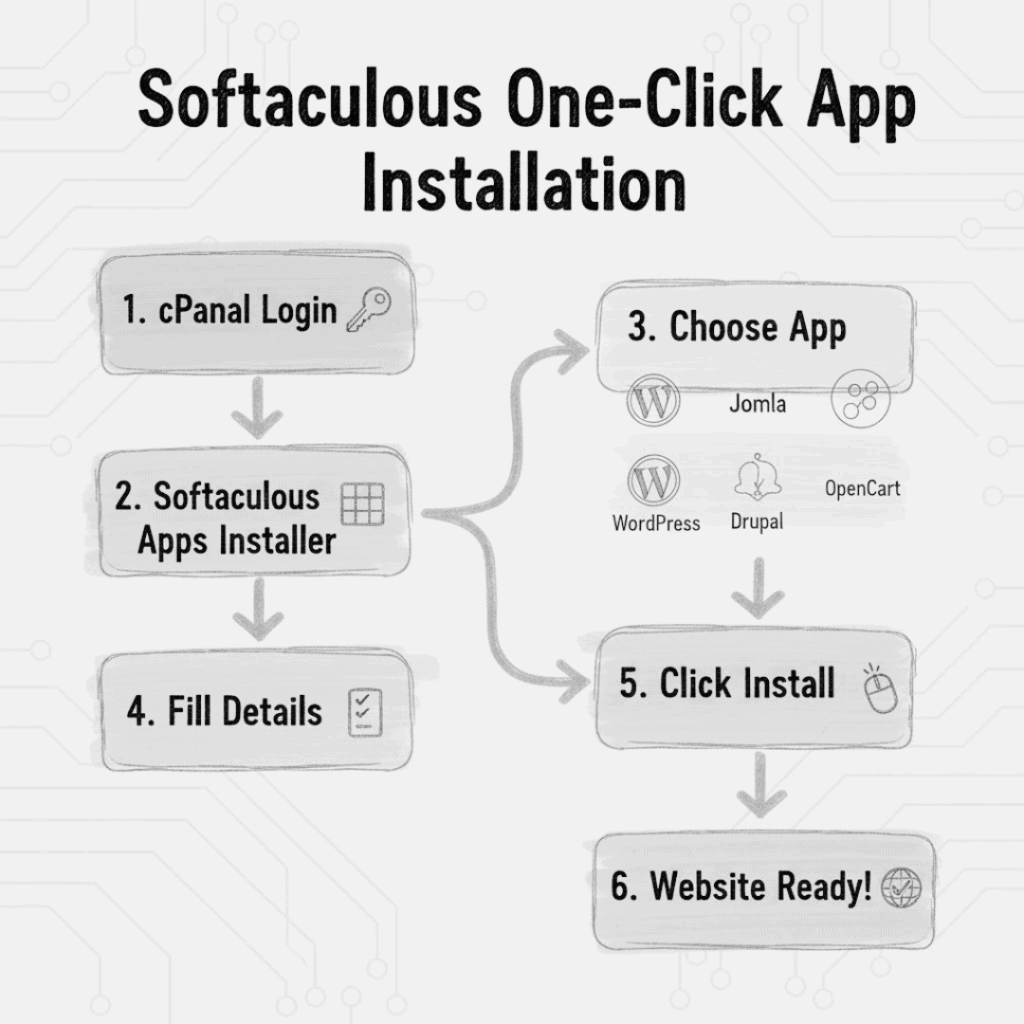
Consider Softaculous an indispensable toolkit seamlessly integrated with your cPanel account. It provides the ability to install hundreds of web applications with just a few clicks. This eliminates the need to manually manage databases, upload files, or navigate through intricate setup processes, thereby saving considerable time and effort for businesses and individuals alike. From establishing modest online shops to launching bustling community forums, Softaculous streamlines every aspect, allowing even those without extensive technical expertise to achieve professional-grade results.
Joomla: Beyond Basic Websites
While WordPress excels in simplicity and user-friendliness, Joomla offers a more robust framework for websites destined for significant growth and complexity. It is an excellent choice for corporate websites, educational platforms, and diverse community-driven projects, providing enhanced capabilities for content management and site structure.
Here’s how to set up Joomla:
- Log in to your cPanel interface.
- Within the Softaculous Apps Installer, locate and click on Joomla.
- Select “Install Now,” provide the necessary details for your site, and finalize by clicking “Install.”
Joomla is a popular choice for many organizations, such as NGOs and educational institutions, due to its multilingual capabilities and inherent flexibility, making it adaptable to a wide range of content requirements and user bases.
Drupal: Unleashing Greater Power
Drupal stands as a formidable Content Management System (CMS), particularly well-suited for websites with extensive content requirements or those demanding advanced security features. It is frequently adopted by news outlets, government agencies, and corporate intranets due to its robust architecture and scalability.
Installing Drupal is remarkably straightforward:
- Access cPanel and open Softaculous.
- Navigate to the CMS section and search for Drupal.
- After clicking “Install Now” and entering your site’s information, Softaculous efficiently manages the entire installation process.
Many startups and businesses opt for Drupal for their intricate websites because of its impressive ability to scale and evolve alongside their expanding needs and demanding functionalities.
Magento: Your E-Commerce Solution
For establishing a robust online store, Magento stands out as a premier option. It provides sophisticated product management tools, support for multiple payment methods, and comprehensive inventory tracking functionalities, making it ideal for a professional e-commerce presence.
How to use Softaculous to install Magento:
- Open the Softaculous Apps Installer within cPanel.
- Choose Magento from the available online store applications.
- Complete the required information about your store and click “Install.”
Magento is widely adopted by stores selling electronics, apparel, or handcrafted goods. It integrates seamlessly with various local and international payment gateways, significantly streamlining the process of selling products online and managing transactions efficiently.
phpBB: Creating Your Own Forum
Online communities continue to thrive, and phpBB offers one of the most accessible platforms for creating dynamic discussion boards. Whether for technology enthusiasts, hobby groups, or educational forums, phpBB simplifies user management and discussion moderation, fostering vibrant online interactions.
To get phpBB ready:
- After logging into cPanel, open Softaculous.
- Click on phpBB in the Forums section.
- Select “Install Now,” fill out the necessary details for your forum, and your community platform will be ready.
phpBB is frequently utilized to engage members in technology, education, and local interest groups, providing a dedicated space for interaction and knowledge sharing.
How Softaculous Simplifies Web Development
Softaculous is not merely about convenience; it fundamentally empowers individuals and businesses by simplifying complex tasks. You no longer need to retain an IT specialist to launch community forums, develop a multilingual website, or establish an e-commerce store with comprehensive payment gateway integrations. This tool makes advanced web functionalities accessible to everyone.
Furthermore, Softaculous automates application updates, which is crucial for maintaining optimal security and ensuring the smooth operation and stability of your website over time.
In Summary
While WordPress remains a popular and excellent choice, it represents only a fraction of what you can achieve with Softaculous. The platform unlocks a vast array of possibilities, enabling you to utilize applications like Joomla, Drupal, Magento, and phpBB to construct sophisticated websites, powerful online stores, and engaging community forums precisely tailored to your audience's needs.
Softaculous empowers business owners, community leaders, and hobbyists to innovate, learn, and expand their online presence without the complexities of manual setup. To truly differentiate your website and leverage its full potential, explore beyond WordPress and discover the extensive capabilities that Softaculous has to offer.
