
 (1).svg)
 (1).png)


 (1).svg)
.svg)
Considering the integration of Odoo and WordPress for your business operations? This guide delves into the potential of this strategic combination, offering insights to help you navigate the decision-making process and understand the various integration methods available.

Back to the Basics: Understanding Odoo and WordPress
Odoo
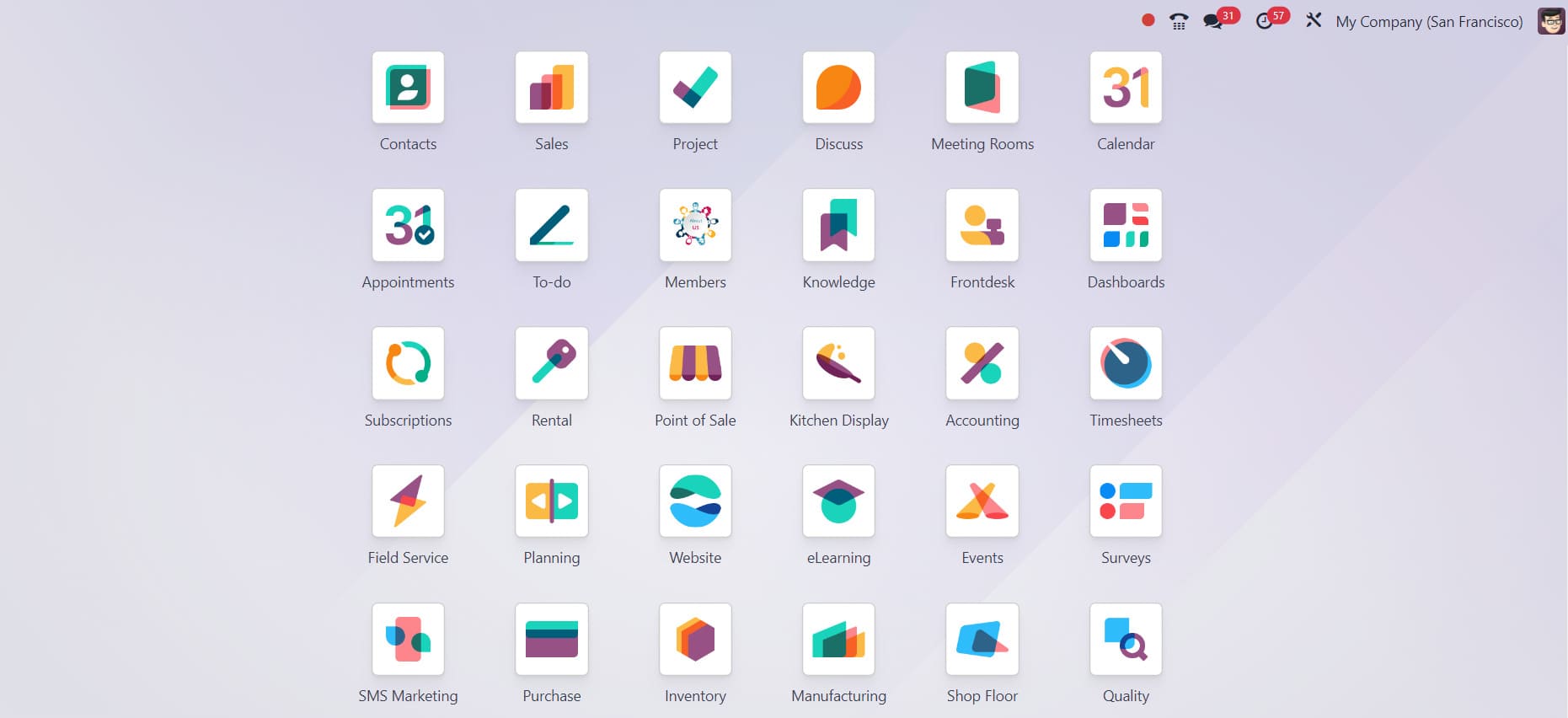
Odoo stands as one of the most widely adopted Enterprise Resource Planning (ERP) systems globally, boasting a user base exceeding 12 million. Its comprehensive, open-source suite of business modules is designed to enhance every aspect of a company's operations. The active and extensive developer community behind Odoo ensures continuous development and robust support. Furthermore, its open-source nature provides significant advantages, including cost-effectiveness and extensive customisation capabilities. Key features of Odoo’s business management platform encompass Sales and Customer Relationship Management (CRM), Inventory and Material Requirements Planning (MRP), Finance and Accounting, Marketing and E-commerce functionalities, as well as Project and Human Resources management, among many other operational facets.
WordPress
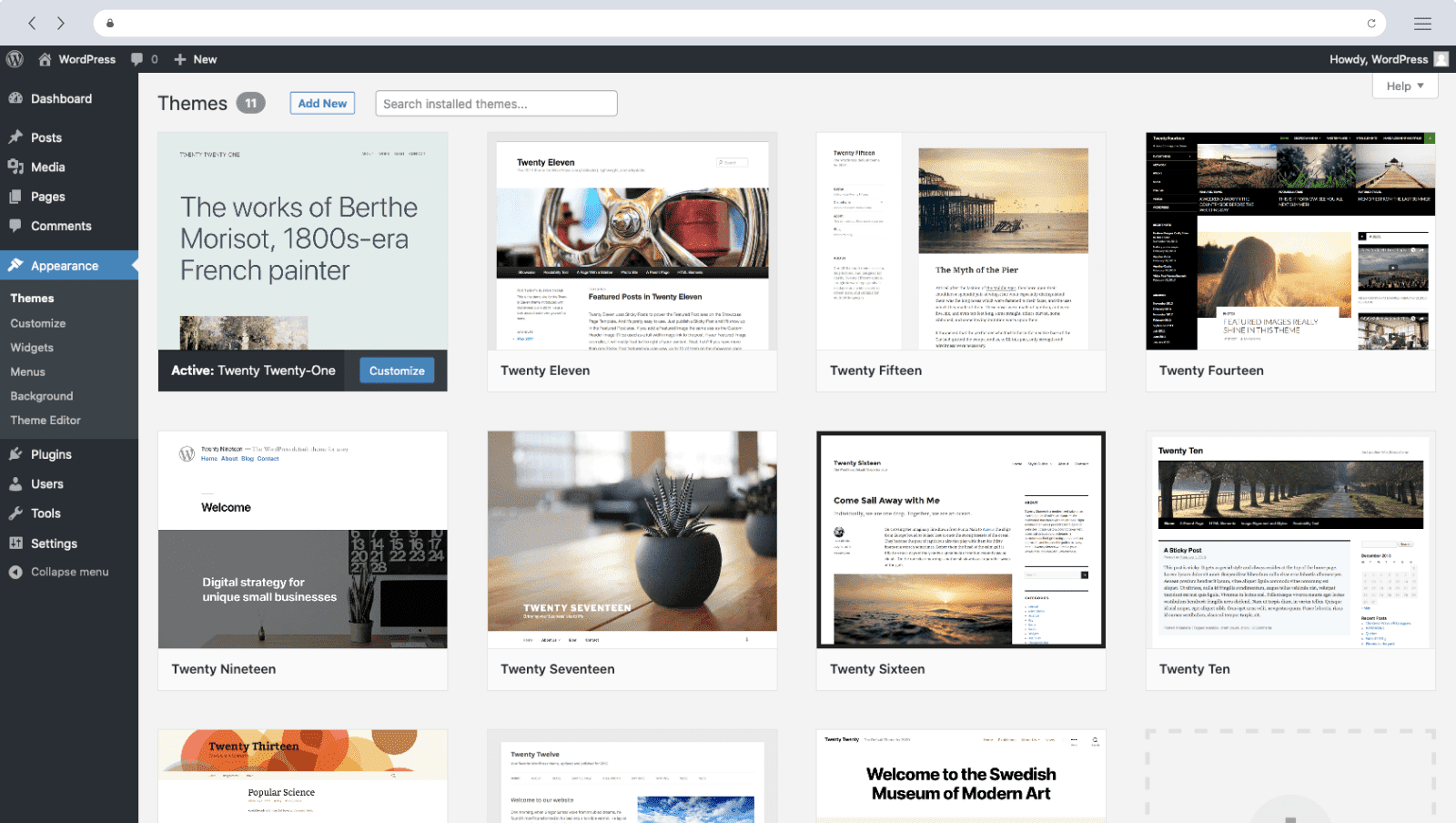
WordPress is a widely recognized, open-source, and free content management system (CMS) utilized for creating and managing a vast array of blogs and websites. Powering over 800 million websites, it stands as one of the most popular CMS platforms globally. Its robust features include extensive website function extensibility, powerful marketing and monetization tools, comprehensive website design and management capabilities, and various performance optimization services, among others.
Key Benefits of Odoo and WordPress Integration
1. Seamless E-commerce Management with WooCommerce
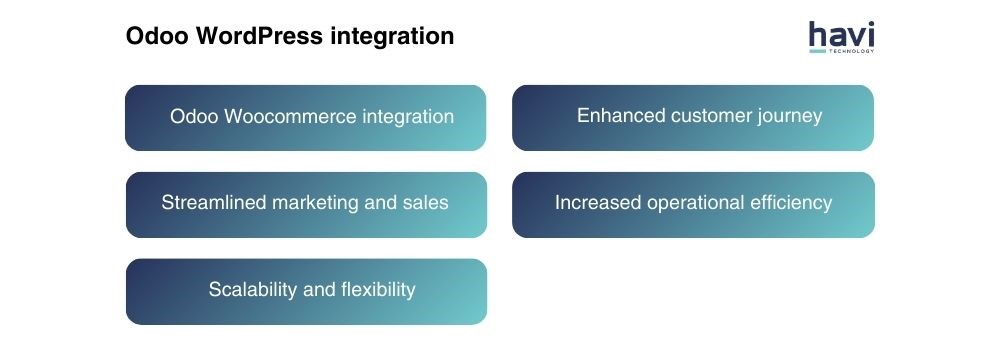
WooCommerce, a complimentary plugin for WordPress, provides an immediate solution for establishing an online store. Integrating WooCommerce with Odoo presents a significant advantage for businesses looking to centralize their entire online operations. This powerful combination allows you to manage everything from a single source of truth, including marketing efforts, customer support interactions, comprehensive financial oversight, efficient order processing, and precise inventory control. The integration facilitates automatic inventory updates, streamlined order fulfillment, and centralized management of sales tax and shipping logistics, thereby simplifying daily business operations. Leveraging this dynamic duo can significantly accelerate your journey toward sustained success, optimize your business processes, and simplify the complexities of e-commerce.
2. Enhanced Scalability and Flexibility
Both Odoo and WordPress are designed to scale alongside your business as it evolves and expands. These platforms offer robust scalability options, enabling you to effortlessly incorporate new features and adapt to changing market demands.
Odoo's modular architecture is particularly advantageous, offering a diverse array of modules that cater to various business requirements. This design allows you to incrementally add functionality as your needs grow, ensuring that your ERP system remains perfectly aligned with your operational scope. Its flexible licensing model also ensures that resources are allocated efficiently, allowing users to access necessary modules without unnecessary overhead. Similarly, WordPress provides immense customisation potential through its vast ecosystem of plugins, ranging from sophisticated e-commerce solutions to effective lead capture forms. A key strength of WordPress is its open API, which facilitates seamless integration with a multitude of external tools and applications, including Odoo. This inherent flexibility not only minimizes the burden of superfluous features but also ensures your website remains highly adaptive, optimizing resource utilization and overall performance.
3. Streamlined Customer Journey
Integrating Odoo and WordPress significantly enhances the customer journey by creating a cohesive and intuitive experience. Customers can seamlessly browse products on your WordPress website, transition smoothly to placing and managing orders within Odoo. This unified approach eliminates data silos, providing a more consistent and satisfying experience that can foster increased customer satisfaction and loyalty.
Odoo’s robust capabilities in order processing and account administration ensure efficient fulfillment and transparent communication throughout the customer lifecycle. Furthermore, this integration can bridge the gap between online and offline interactions. For instance, a customer who browses products on your WordPress site could enjoy an effortless in-store checkout experience powered by Odoo's Point of Sale (POS) system. This seamless connection between your digital storefront and physical operations exemplifies the comprehensive benefits this integration provides.
4. Optimized Marketing and Sales Operations
The integration of Odoo and WordPress empowers businesses to strategically enhance their lead nurturing and customer engagement processes. By capturing leads directly through your WordPress website and automatically synchronizing them with Odoo's Customer Relationship Management (CRM) system, you can ensure no potential customer is overlooked.
This unified view of the customer experience facilitates seamless collaboration between marketing and sales departments, effectively breaking down traditional data silos. The result is a more coordinated effort that broadens your market reach, efficiently develops leads through targeted campaigns, and ultimately converts them into loyal, long-term customers.
5. Increased Operational Efficiency
The integration of Odoo and WordPress plays a pivotal role in boosting operational efficiency by automating numerous repetitive tasks. This includes streamlining processes such as lead generation, order management, and even complex e-supply chain operations like inventory and warehouse management. By automating these functions, businesses can free up significant time and valuable resources, allowing teams to focus on more strategic initiatives and strengthening customer relationships.
Odoo's advanced automation capabilities are designed to streamline internal operations across various departments. Concurrently, WordPress' content scheduling features can automate the timely publication of content, helping to maintain a consistent online presence and minimizing the potential for human error in content deployment.
Exploring Common Integration Approaches for Odoo and WordPress
Selecting the most suitable integration method for Odoo and WordPress necessitates a thorough evaluation of your specific business requirements and available technical capabilities. Below, we outline four prevalent integration approaches commonly employed by organizations.

1. Direct API Integration
Direct API integration involves utilizing the Application Programming Interfaces (APIs) of both Odoo and WordPress to construct a custom solution precisely tailored to your business's unique requirements. This method offers the highest degree of flexibility and granular control over data exchange and functionality. However, it demands a significant level of technical expertise and dedicated development resources. Consequently, direct API integration is most suitable for organizations with complex operational workflows or highly specialized integration needs that off-the-shelf solutions cannot adequately address.
2. Utilizing Odoo and WordPress Plugins and Connectors
Plugins and connectors represent ready-made solutions designed to address common integration requirements between Odoo and WordPress. These tools typically facilitate essential functions such as product synchronization, lead capture, and user authentication, offering a more accessible entry point for integration compared to custom development. Some common options include:
- Dedicated Odoo Connectors: These plugins provide fundamental synchronization capabilities for critical data points like product information, leads, and sales orders. They are generally straightforward to configure, making them ideal for basic integration needs. However, they might offer limited custom functionality for more intricate operational workflows.
- Dedicated WordPress Connectors: Offering more advanced features, these plugins often include functionalities such as real-time data synchronization, automated workflows, and bidirectional data exchange. While they may require a slightly higher level of technical understanding for setup, they prove highly effective for more sophisticated integration scenarios.
- Specialized Third-party Plugins: The marketplace also features various third-party developers who offer plugins with highly specialized functionalities. These can range from integrating specific Odoo modules, such as Odoo CRM with WordPress forms, to providing bespoke customization of the integration process. While these offer considerable flexibility, it is important to consider the potential need for ongoing maintenance and compatibility testing to ensure sustained performance.
3. Leveraging Third-Party Integration Tools
Third-party integration platforms, such as Zapier, offer user-friendly, visual drag-and-drop interfaces that are particularly beneficial for individuals without extensive technical backgrounds. These platforms enable the connection of various software applications through pre-built "zaps" or "flows," automating workflows and data transfer between Odoo and WordPress. While they provide ease of use and rapid deployment, it's important to recognize that they may present certain limitations in terms of customization and complex logic when compared to bespoke development or dedicated connectors.
4. Engaging Professional Integration Services
For businesses seeking expert assistance, numerous companies specialize in providing comprehensive integration services for Odoo and WordPress, including WooCommerce. These professional service providers handle the entire integration lifecycle, encompassing initial setup, precise configuration, and ongoing maintenance. Their expertise ensures a smooth and efficient deployment, minimizing potential complications and maximizing the benefits of the integrated systems. This approach is highly recommended for organizations that may lack the internal technical resources or specialized knowledge required to undertake the integration process independently. While it represents an investment, the value derived from a expertly managed integration often outweighs the initial cost.
Determining Your Need: Critical Considerations for Odoo and WordPress Integration
Before committing to integrating powerful open-source platforms like Odoo and WordPress, it is crucial to thoroughly understand your business context. While this strategic combination can significantly boost operational efficiency and market presence, the decision is multifaceted and requires careful deliberation. To assist you in navigating this complex choice, we present a clear roadmap for consideration before embarking on the integration journey.
1. Understand Your Business Needs and Current Landscape
Prior to exploring the technicalities of Odoo and WordPress integration, it is essential to dedicate time to a comprehensive assessment of your organization's current operational state. Several key aspects warrant your careful consideration:
- Identify Current Pain Points: Reflect on whether your business is encountering challenges such as fragmented data, inefficient workflows, or a suboptimal online customer experience. Pinpointing these specific difficulties will clearly illustrate how an integration solution could provide tangible benefits.
- Define Your Business Goals: Articulate your primary objectives. Are you aiming to significantly increase online sales, cultivate stronger customer relationships, or streamline internal operational processes? Ensuring that any integration aligns directly with your overarching business goals is paramount for achieving meaningful and measurable outcomes.
- Assess Existing Systems: Evaluate all other software currently in use for functions such as marketing, accounting, or project management. Understanding your existing technological ecosystem is crucial for determining potential compatibility issues and the overall complexity of the integration process.
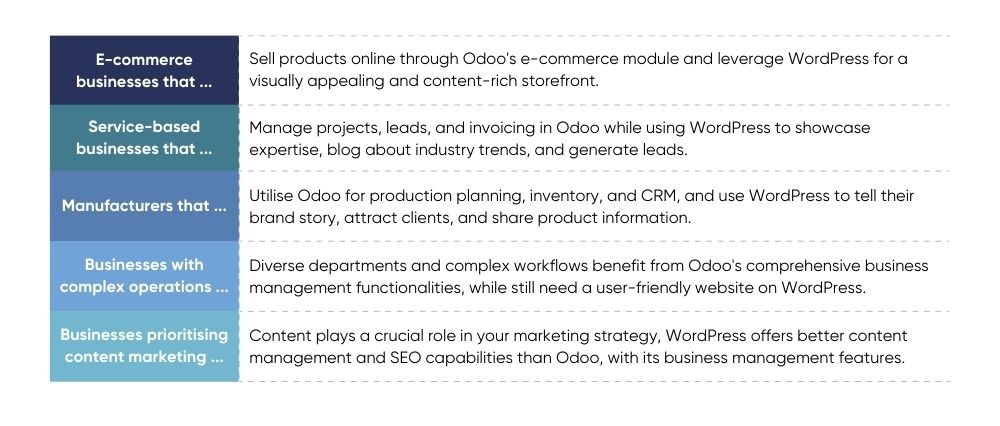
To further clarify this decision-making process, consider a breakdown of typical scenarios indicating which types of businesses are most likely to benefit from a dual-platform approach, versus those that might be better served by focusing on a single system initially.
Examples of businesses that typically benefit from both platforms:
And those who might be better served by commencing with a single platform:
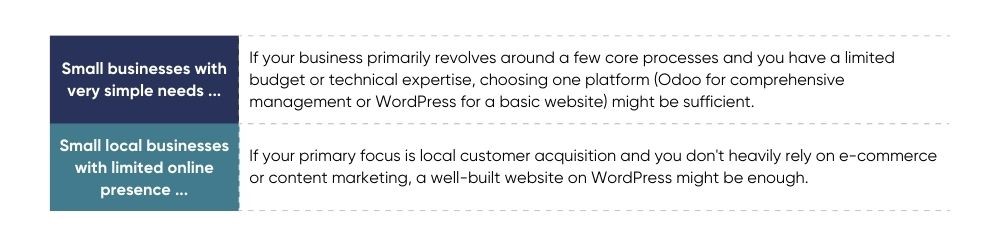
Ultimately, the decision to integrate both platforms hinges on your distinct business strategy, overarching goals, and available resources. It is crucial to meticulously evaluate your operational needs, financial allocations, and technological capacities before concluding whether a dual-platform approach is the optimal path for your organization.
2. Evaluate the Advantages and Disadvantages
While the synergistic potential of integrating Odoo and WordPress is undeniable, a sound strategic decision necessitates a balanced and thorough assessment of both the inherent benefits and potential drawbacks. Below, we present a curated list of common advantages and constraints associated with this integration, serving as a valuable framework for your evaluation:

3. Assess Your Available Resources
A meticulous evaluation of your available resources is a critical step in the decision-making process. This assessment ensures that the integration project is not only feasible but can also be successfully implemented and sustained over time. Key aspects to consider include:
- Technical Expertise: Determine your internal capacity for managing technical aspects. Can your team competently handle fundamental troubleshooting and configuration, or will professional technical assistance be a necessary requirement?
- Financial Investment: Gauge your capacity for the financial outlay associated with integration. This encompasses potential costs for specialized tools, engaging developers, or subscriptions to integration platforms.
- Time Commitment: Evaluate the time your team can realistically dedicate to understanding, implementing, and ongoing management of the integrated systems. Successful integration often requires continuous learning and attention.
4. Explore Alternative Solutions
Before initiating any complex integration procedure, it is imperative to thoroughly explore all available alternatives. The primary objective is to identify the most efficient and cost-effective solution that aligns perfectly with your unique business objectives and existing resource constraints. Consider the following pivotal questions:
- Optimization of Current Systems: Is it possible to achieve your strategic objectives by merely enhancing or updating your existing Odoo or WordPress installations? Often, targeted improvements to current systems can suffice without the need for full-scale integration.
- Simpler Integration Paths: For your specific needs, are there less complex integration options available? Research user-friendly plugins or readily accessible third-party utilities that might offer a simpler, yet effective, solution.
5. Seek Information and Professional Support
While the integration of Odoo and WordPress holds significant potential for transforming your business operations, it inherently requires a commitment to continuous learning and the availability of ongoing support. Fortunately, you do not have to navigate this journey in isolation. A rich ecosystem of resources and collaborative networks is readily available to empower your integration efforts:
- Engage with Peer Businesses: Connect with other companies that have experience using Odoo and WordPress to gather firsthand insights and learn from their practical experiences.
- Utilize Online Resources: Explore a wealth of online forums, community platforms, and industry blog posts to gain valuable knowledge, troubleshooting tips, and general assistance.
- Consider Professional Consultation: When faced with complex challenges or specialized requirements, seeking advice from experienced developers or integration specialists can provide tailored guidance and ensure optimal implementation.
In conclusion, it is important to remember that while connecting Odoo and WordPress can lead to enhanced efficiency and an improved customer experience, it is not a universal solution applicable to every business. A prudent approach involves starting with a modest scope and gradually expanding as confidence and expertise grow. Begin by incorporating essential functionalities and then extend the integration as your needs evolve. Throughout this process, maintain a clear focus on the overarching benefits and how this integration aligns with and helps achieve your strategic business objectives.
Is Odoo and WordPress Integration Right for Your Business?
The integration of Odoo and WordPress offers a powerful foundation for a robust business growth strategy. It promises advantages ranging from streamlined operational processes to enriched stakeholder interactions, presenting a wealth of undeniable opportunities. However, navigating the inherent technological complexities of such an integration can indeed be a challenging endeavor.
To ensure a seamless, effective, and impactful integration, many organizations find immense value in collaborating with experienced Odoo or WordPress integration service providers. Their specialized expertise is instrumental in guaranteeing a successful deployment that is precisely tailored to your unique requirements. This partnership allows your team to remain focused on optimizing other core business benefits and strategic initiatives. Do not allow potential technological hurdles to prevent your organization from realizing the full potential of this dynamic combination. Exploring professional integration services can pave the way for unlocking significant efficiencies and competitive advantages.
